
By following these simple steps you can redirect your addon domain to another domain :
Step 1: Login to your cPAnel account.
Step 2: Under section "Domains", click on "Addon Domains" icon.

Step 3: Under "Modify Addon Domain", locate the addon domain and click on "Manage Redirection".
Step 4: Paste the link or url in the text box to which you wish to redirect your addon domain.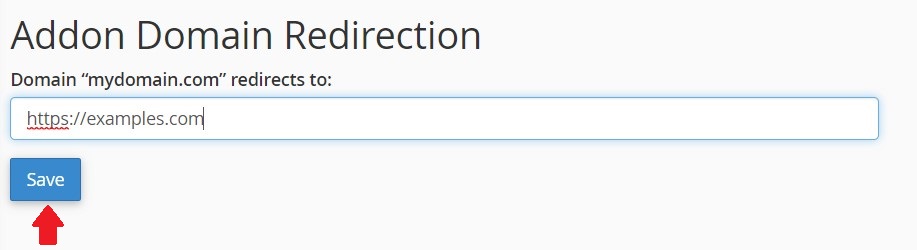
Step 5: Save changes by hitting "Save" button
And done !!


